It follows the app in front
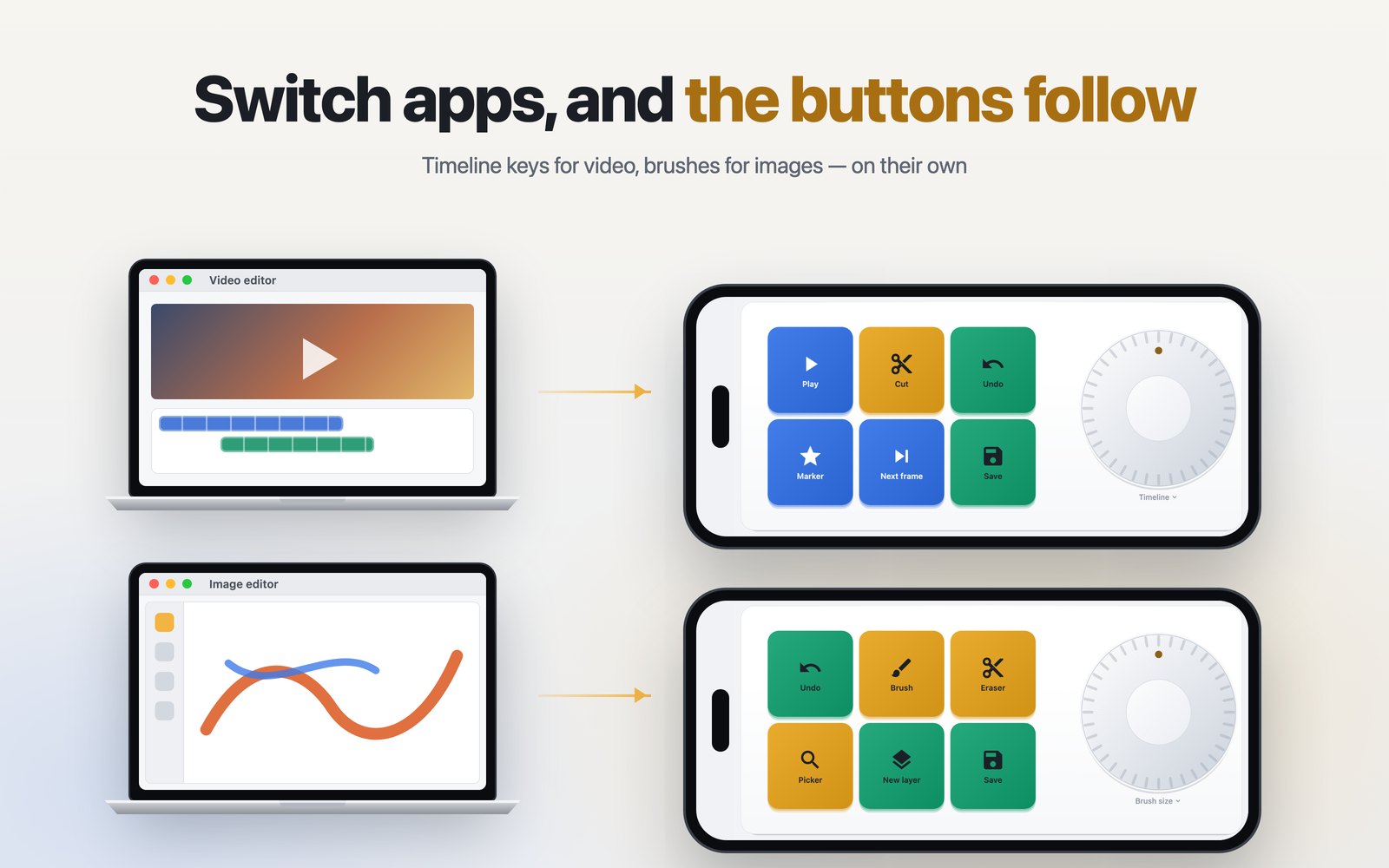
Link a pad to Final Cut, Photoshop, Safari or VS Code. When that app comes to the front, the phone switches to its pad; leave it and you land on the pad you chose, or stay where you were.
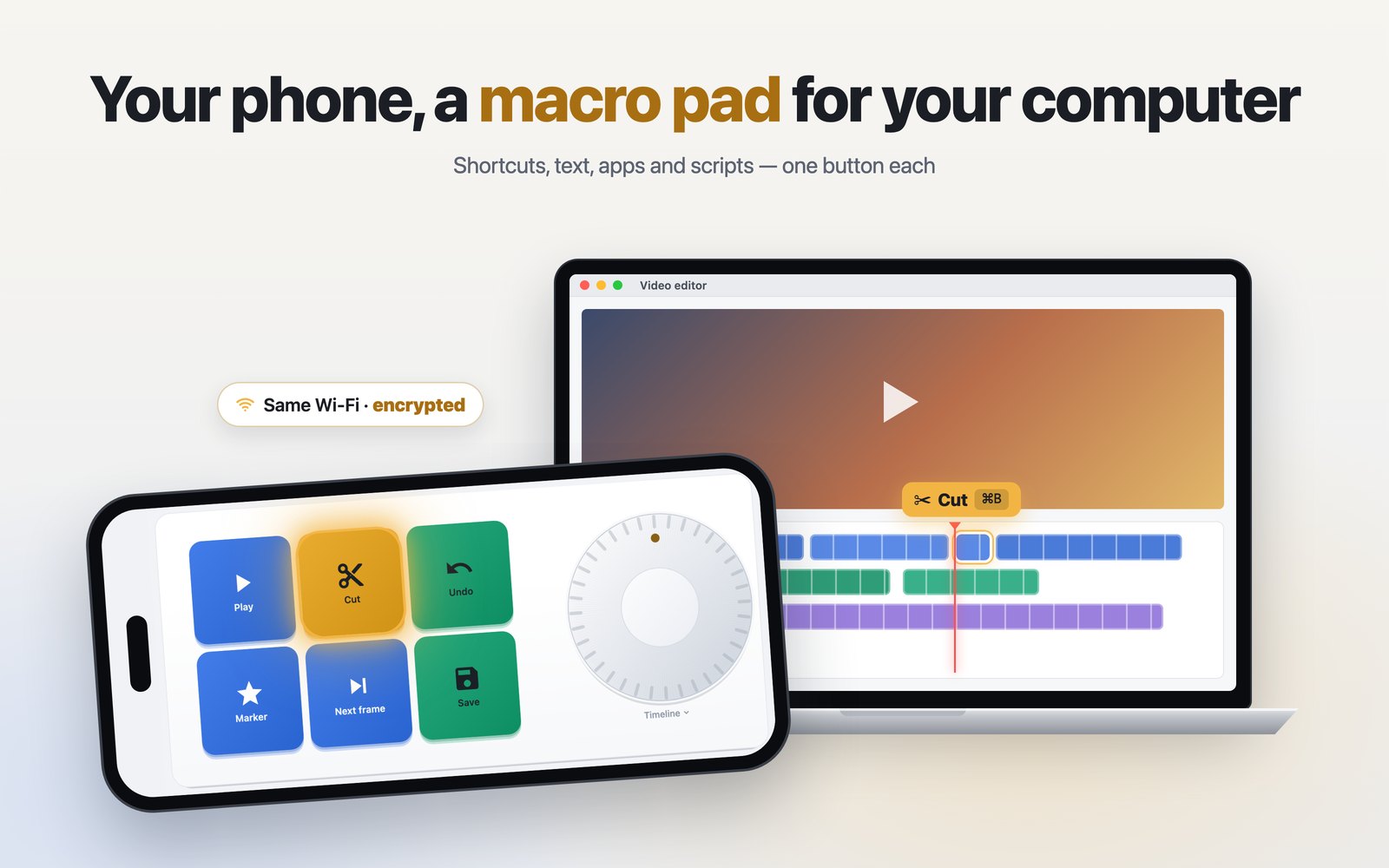
Buttons and a knob on your phone that press shortcuts, type text, open apps and run your scripts on the computer beside you. Bring Final Cut to the front and the phone turns into Final Cut's pad.
The idea
A hardware pad holds one set of keys until you change it yourself. VelozPad watches which app is in front on the computer and swaps the phone's buttons to match — timeline keys in Final Cut, brushes in Photoshop. The pad is the phone you already carry.
What's in it
Link a pad to Final Cut, Photoshop, Safari or VS Code. When that app comes to the front, the phone switches to its pad; leave it and you land on the pad you chose, or stay where you were.
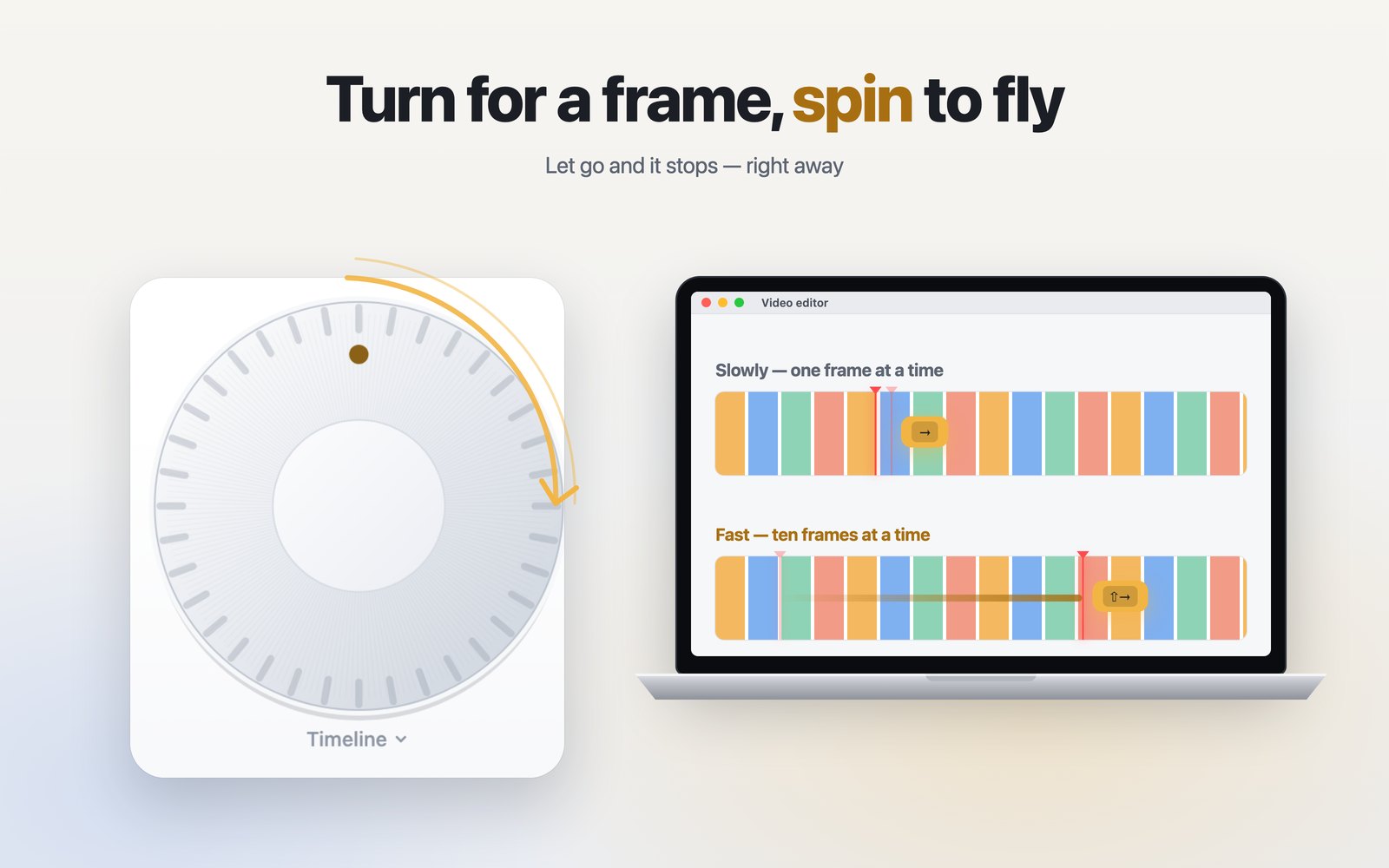
Turn it for the timeline, brush size or volume. Spin it fast and it takes big steps; lift your finger and it stops, instead of rolling on for seconds.
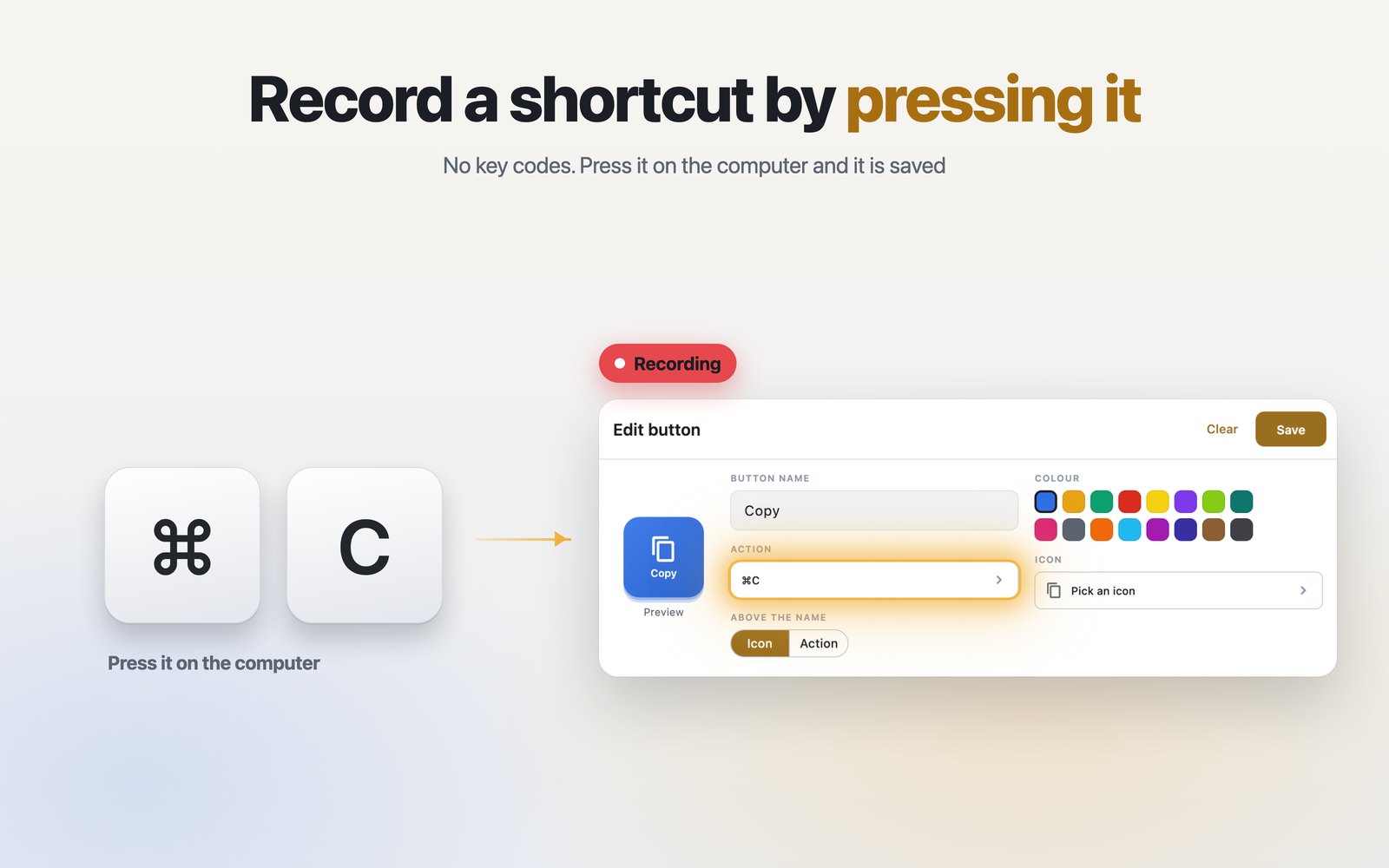
Tap record on the phone and press the keys on the computer. No key codes, no hunting for the ⌘ symbol.
Type a line of text, open an app, play or pause, or chain steps: open the app, wait, press the shortcut.
Register a script on the computer and the phone can run it by name. The phone never sends a command — only which button was pressed.
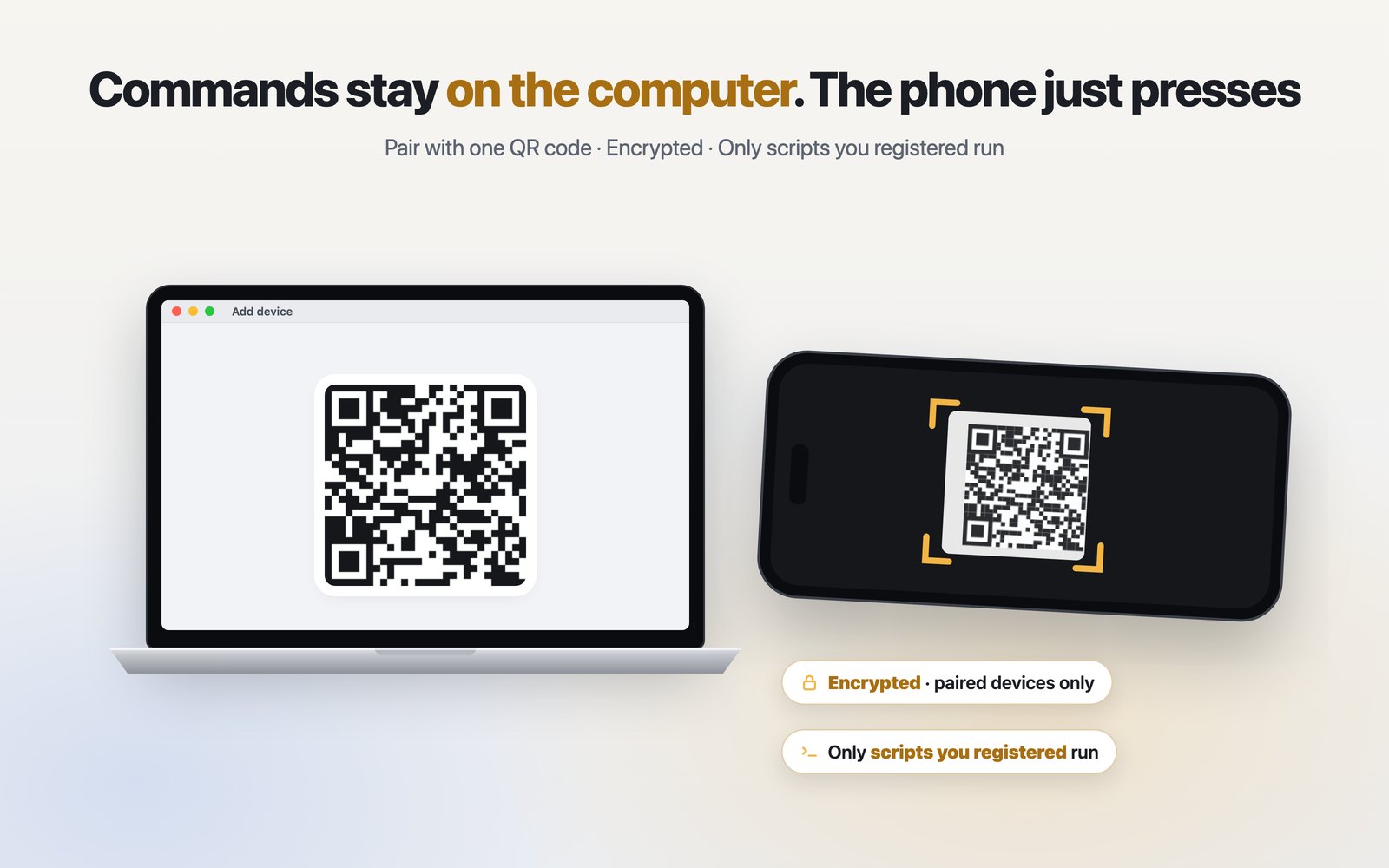
Pairing is a QR code on the computer's screen. After that the connection is encrypted and pinned to your computer, and a device you have not paired is turned away.
Where it came from
It started with one question: could a button on a phone press ⌘C on a computer? The first build did exactly that, over the local network, in September 2026.
Everything after that was about not being dangerous. A phone that can make a computer do things is a remote control for it, so pairing, encryption and a rule that scripts live only on the computer came before any of the features above.
Then the part that makes it worth having: the pad follows the app in front. It has since driven the same computer from both iOS and Android devices.
Privacy
The phone and the computer talk to each other directly, encrypted, inside your own network — there is no server of ours in between and no account. Your pads and your pairing live on your own devices. The app is free and carries ads, so Google AdMob collects the usual advertising identifier and device information; what you press never goes to it. All of it is written out in the privacy policy.
The app is coming to the App Store and Google Play. The agent it needs on the computer will be a free download from this page — macOS first, Windows in the works.